Put your venue on the map.
Running a venue, park, bar, or community space? Apply for an Organization account and start publishing events your whole neighborhood can discover — right on the Spot map.
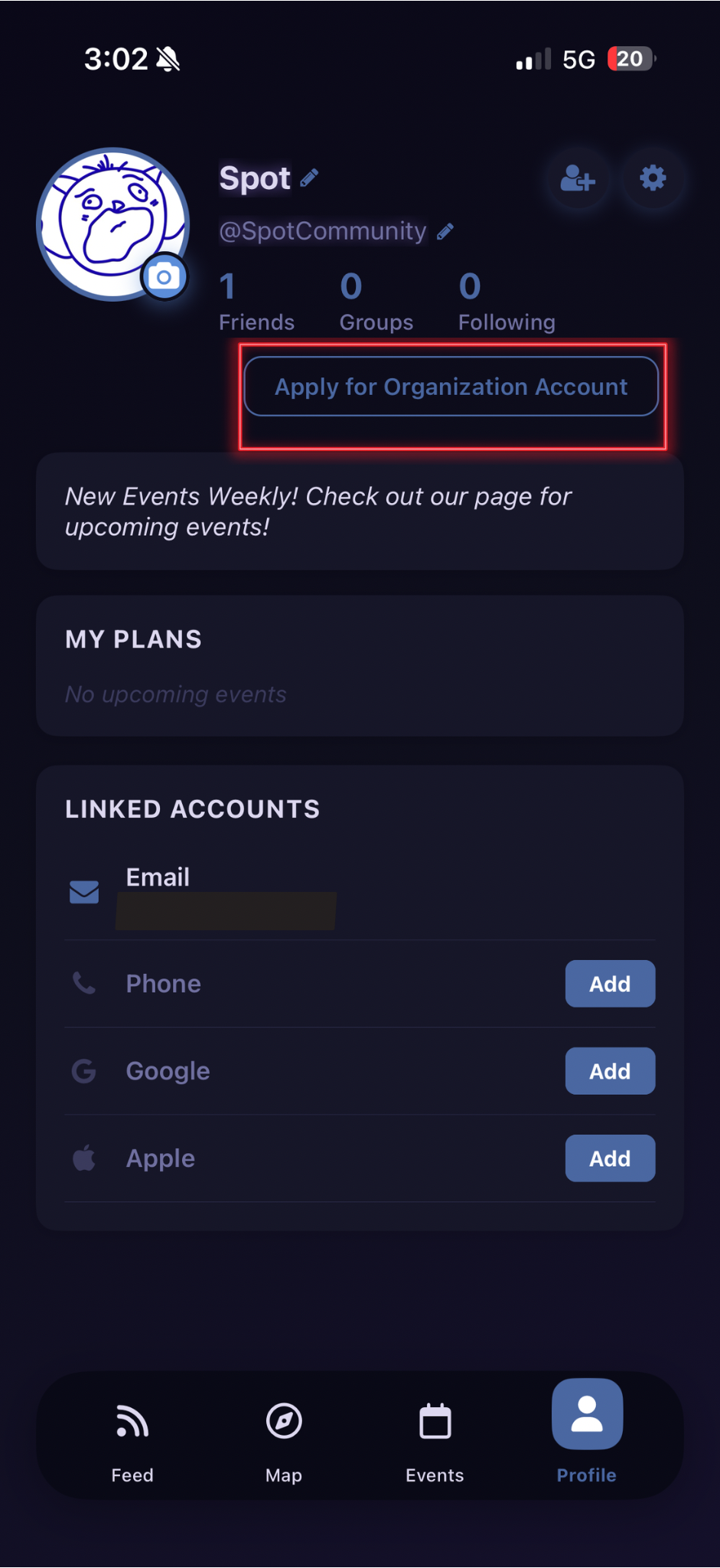
Apply from your profile
Head to your Spot profile and tap Apply for Organization Account. It takes less than two minutes, and you'll hear back once your application is reviewed.
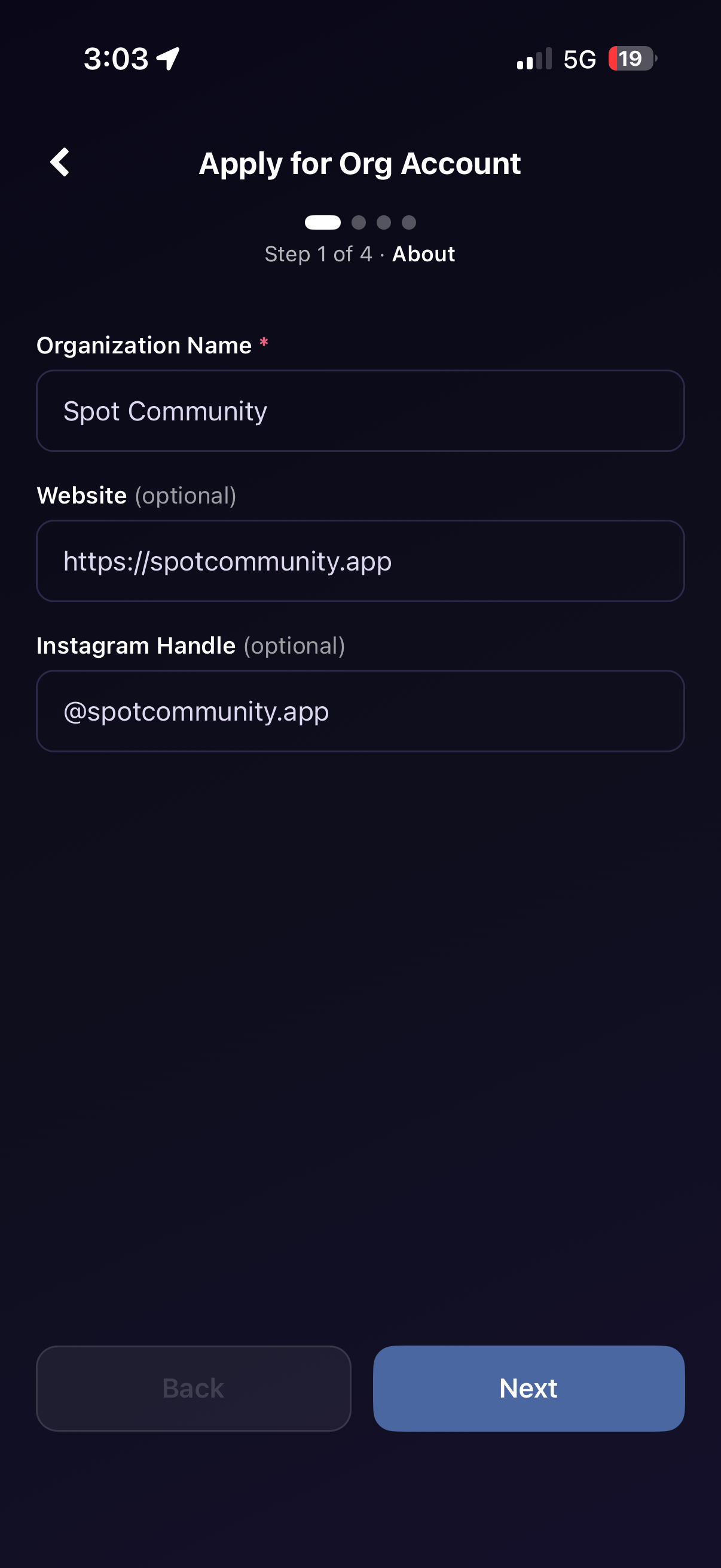
Tell us about your organization
Enter your organization name, website, and Instagram handle — make sure to include the @ symbol at the start of your handle. These details help people find and follow you on the map.
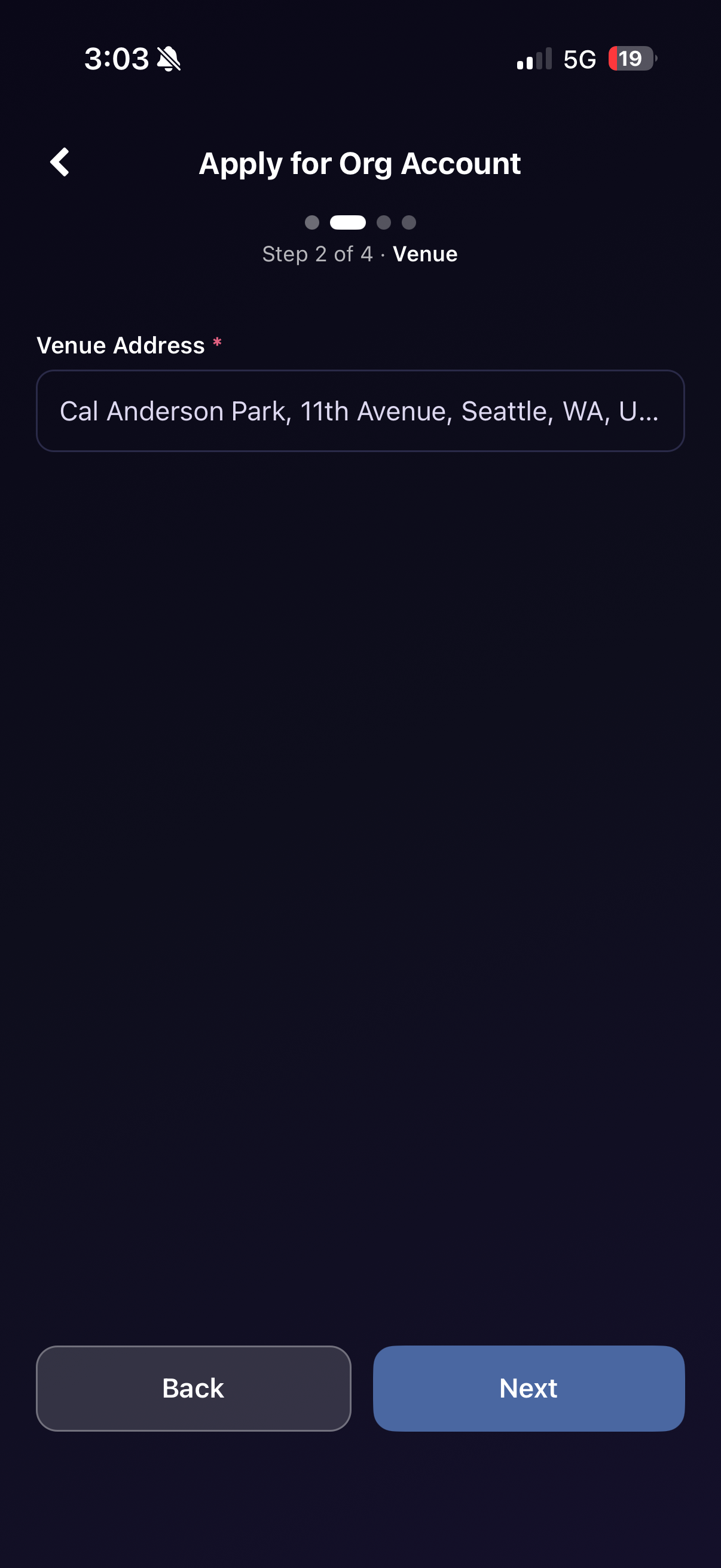
Add your venue address
Enter your venue's street address. This becomes your home base on the Spot map — where your events will live and where people will come to find you.
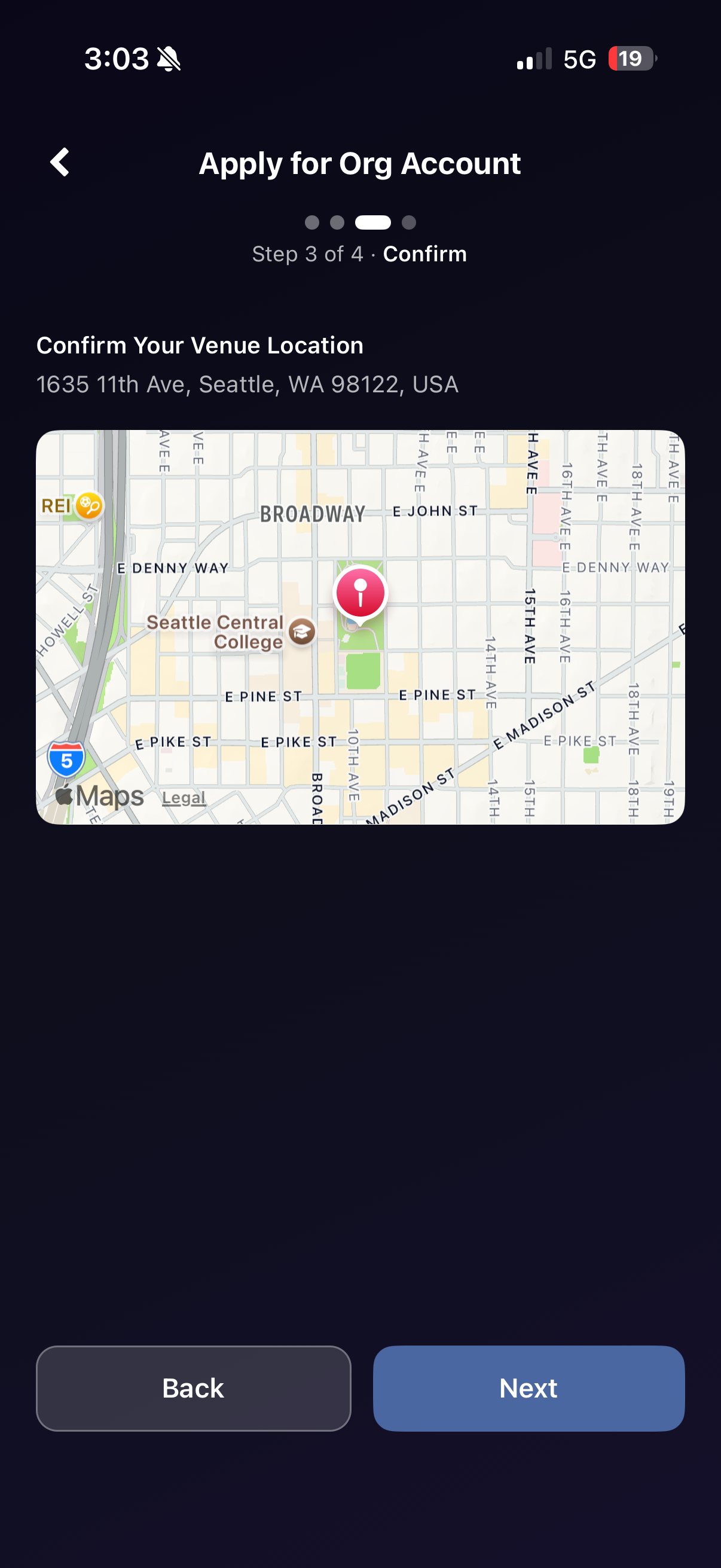
Confirm your location
Review your venue pinned on the map. Make sure the pin lands exactly where you want it before moving on — this is how people will find you in the wild.
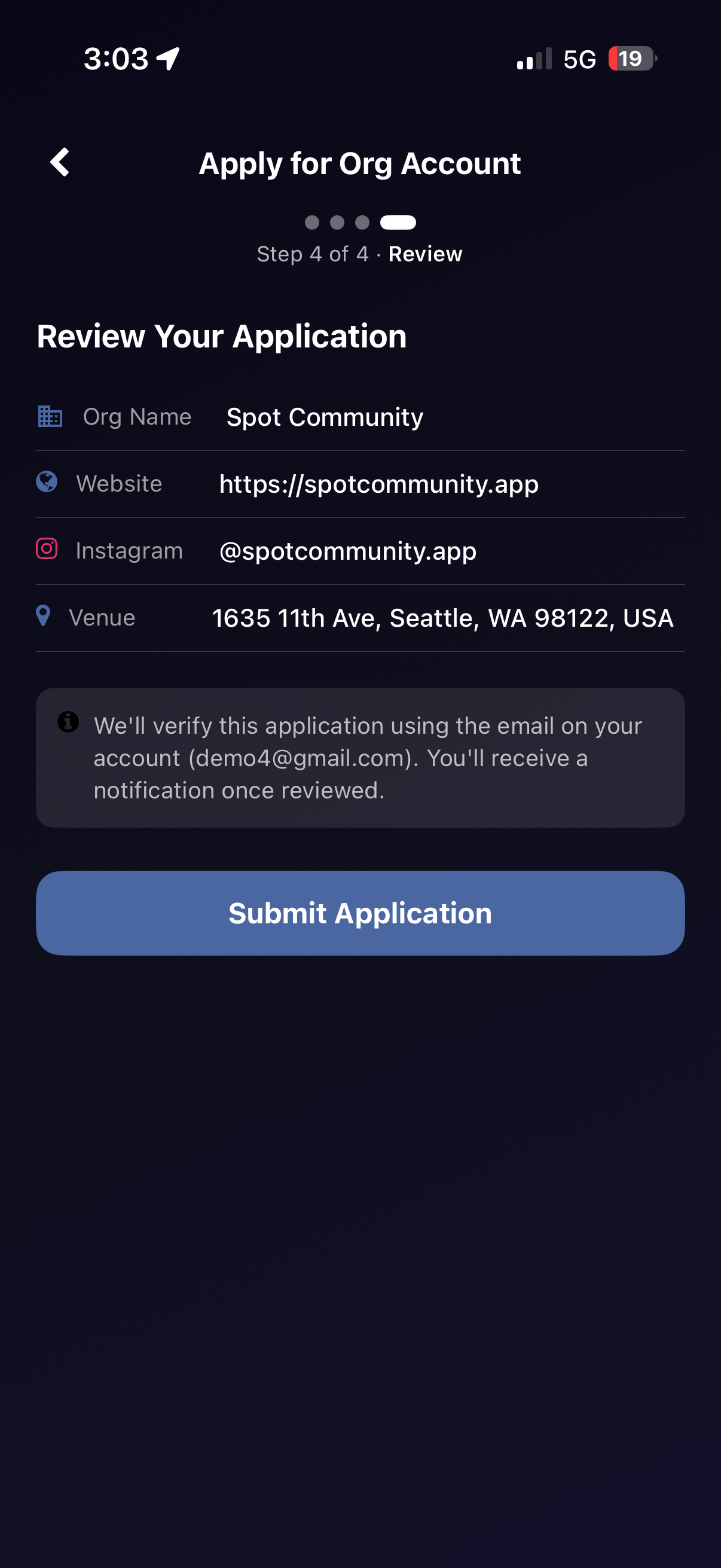
Review and submit
Double-check everything — org name, website, Instagram, and venue — then hit Submit Application. We'll verify it against your account email and notify you once you're approved.
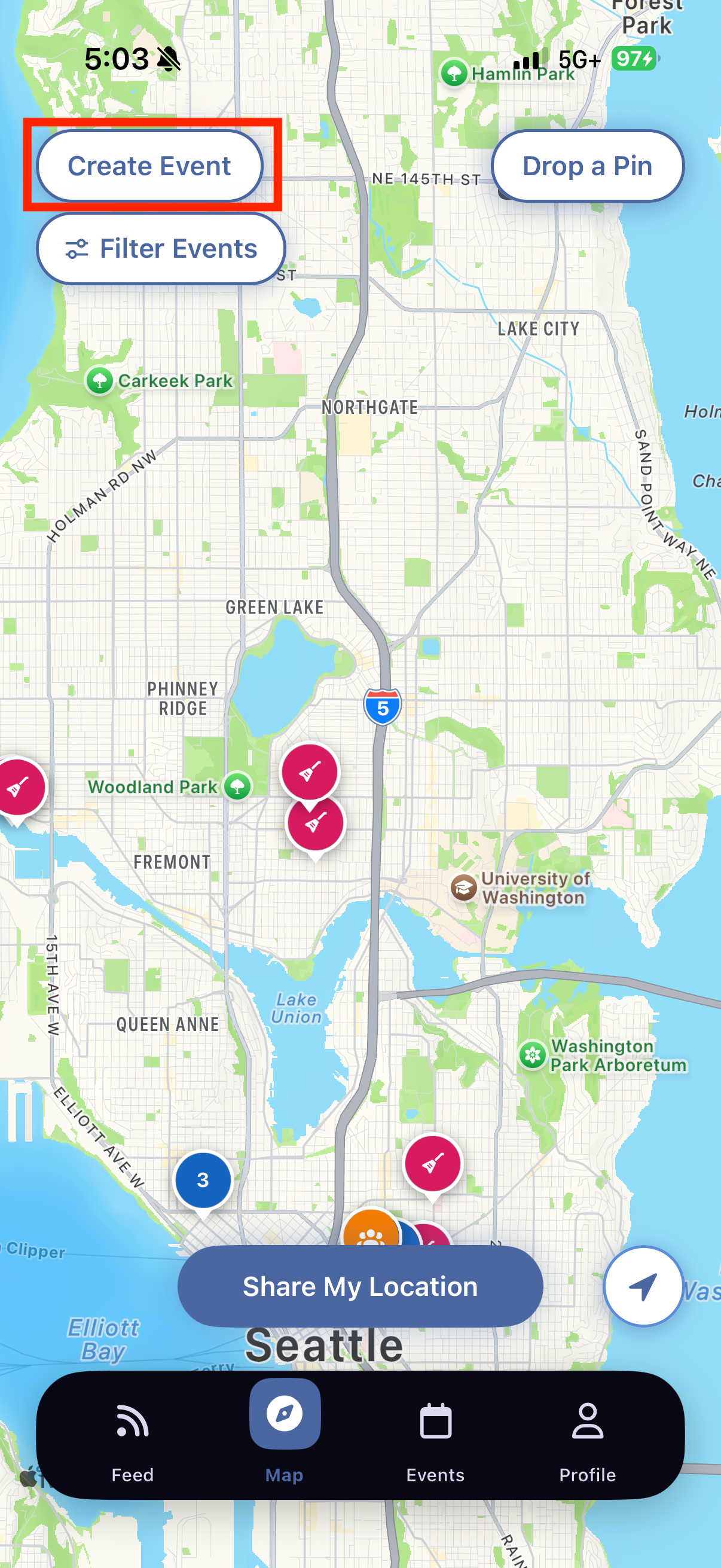
Start publishing events
Once approved, a Create Event button appears right on the map. Post your shows, markets, pop-ups, and community nights — and let the whole city know you're on.
Ready to grow your audience?
Get Spot & Apply